Introduction to Xbox Mode on Windows 11
Microsoft has initiated a transformative journey to enhance the gaming experience for both desktop PC and handheld users, beginning with the introduction of Xbox Mode on Windows 11 desktop PCs. This significant update was unveiled through Xbox Wire following the release of the latest Windows update on April 30. Previously known as Full Screen Experience, Xbox Mode has been accessible to Xbox Insiders since November 2025, indicating Microsoft's ongoing commitment to improving gaming functionalities on its platform.
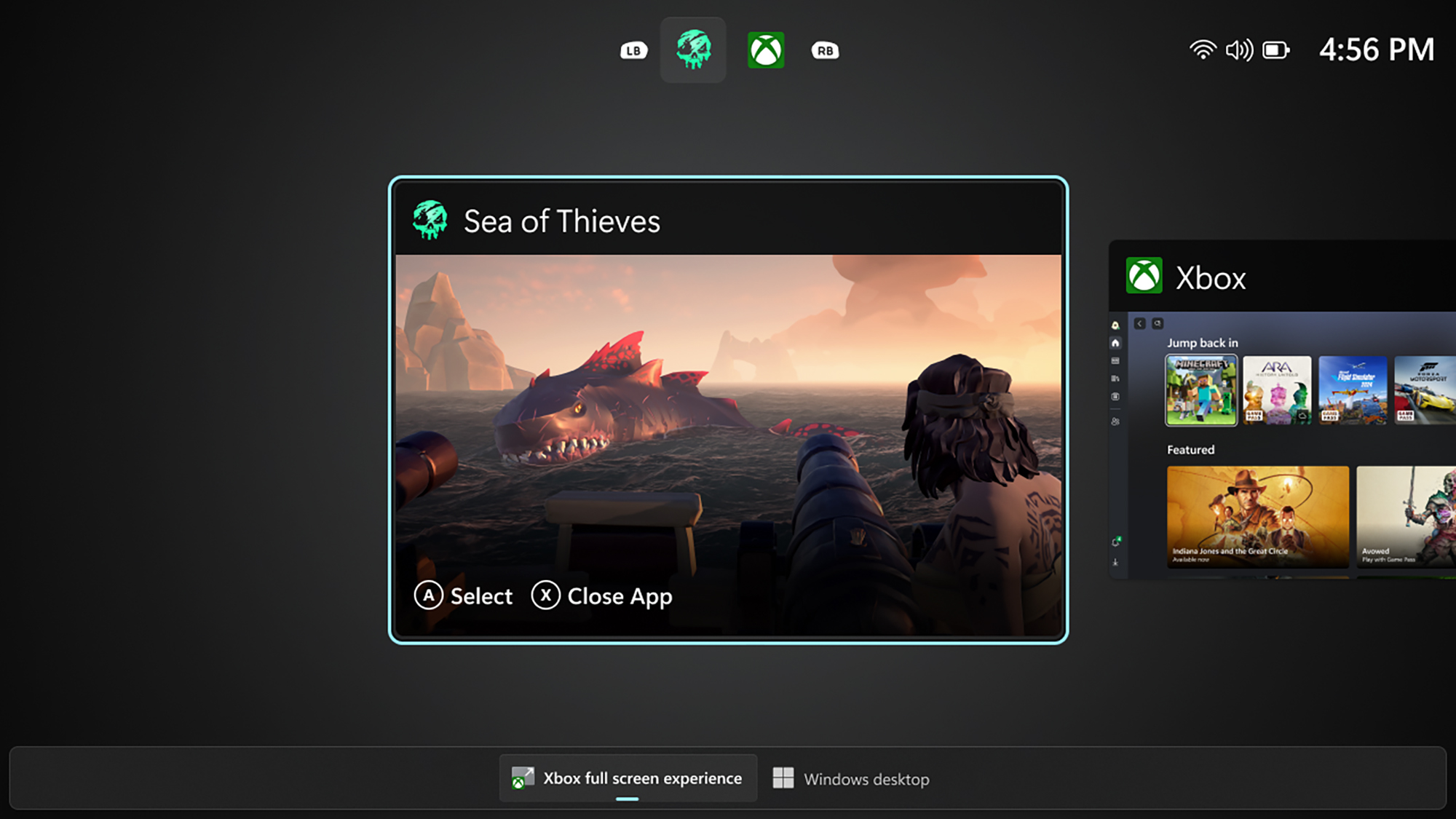
With Xbox Mode, Windows 11 users are now equipped with a streamlined interface that mirrors the simplicity of gaming consoles. This feature enables gamers to launch their games from a singular menu while simultaneously managing system resources by disabling non-essential background processes. This ultimately allows for a more immersive gaming experience, as users can devote more RAM to their games without unnecessary distractions.
Introducing Auto SR for Ally X Users
In tandem with the rollout of Xbox Mode, Microsoft has also announced a new feature specifically designed for Asus ROG Xbox Ally X users: Auto SR. This new addition, which can be accessed via the Game Bar, represents Microsoft's approach to upscaling technology, akin to Nvidia's DLSS and AMD's FSR. Auto SR enhances game performance by rendering graphics at lower internal resolutions, which subsequently boosts frame rates and improves visual clarity when upscaled.

While the excitement surrounding Auto SR is palpable among Ally X users, it's important to note that there has been no official announcement regarding its availability for desktop PC gamers. The feature has been tailored for docked play on the Ally X, yet there remains a possibility that it could eventually be adapted for broader use on desktop systems. This opens up a discussion about the future of upscaling technologies and their integration into Microsoft’s gaming ecosystem.
How to Enable Xbox Mode
For those eager to try out Xbox Mode, enabling it on Windows 11 is a straightforward process. Users can navigate to Settings, select Gaming, and then find Full Screen Experience to set the home app to 'Xbox'. This action will activate Xbox Mode, which can be easily toggled using either the Game Bar or Task View. This user-friendly approach reflects Microsoft's dedication to simplifying the gaming experience for both casual and hardcore gamers alike.
Moreover, as more users adopt Xbox Mode, it is anticipated that Microsoft will continue refining this feature based on user feedback and technological advancements. The potential for future updates could include enhancements that further optimize gameplay and resource management, making Xbox Mode an even more attractive option for gamers looking to maximize their gaming performance.
Competitive Landscape and Microsoft's Strategy
As Microsoft pushes forward with Xbox Mode, the timing of this release is crucial. With Valve's SteamOS on the brink of significant upgrades aimed at enhancing desktop gaming, Microsoft is positioning itself strategically in the competitive landscape. While Xbox Mode still has a way to go before it can rival the established presence of SteamOS, it serves as an appealing alternative for users who may not be ready to transition fully to Linux-based systems.
This competitive edge is vital as gamers increasingly look for seamless and efficient gaming solutions. Microsoft’s efforts to create a more cohesive gaming ecosystem through Xbox Mode represent a proactive stance against competitors, ensuring that Windows remains a relevant and powerful platform for gaming enthusiasts.
ZenilGames Commentary
From an editorial perspective, the introduction of Xbox Mode on Windows 11 is a significant development that could reshape how gamers interact with their PCs. For many users, the transition from traditional gaming setups to more streamlined systems is essential for enhancing the overall gaming experience. Xbox Mode promises to provide a more focused environment, allowing gamers to immerse themselves in their favorite titles without the usual distractions that come from a standard desktop interface.
Additionally, the inclusion of features like Auto SR for Ally X users highlights Microsoft's commitment to pushing the boundaries of gaming technology. It reflects a growing trend in the industry where upscaling technologies are becoming essential tools for enhancing performance and visuals. As this technology evolves, it will be interesting to see how it influences game development and player expectations.
Finally, it is important to recognize the broader implications of these updates. As Microsoft continues to innovate and enhance its gaming offerings, the expectations of the gaming community will undoubtedly rise. Gamers are becoming increasingly discerning, seeking not only performance but also a unique and engaging experience across their platforms. Xbox Mode is a step in the right direction, but it will need to continue evolving in response to player needs and industry trends.
Frequently Asked Questions
What is Xbox Mode on Windows 11?
Xbox Mode is a feature that allows Windows 11 users to launch and play games from a single menu while optimizing system resources by disabling unnecessary background processes.
How do I enable Auto SR on my Ally X?
Auto SR can be enabled through the Game Bar on the Asus ROG Xbox Ally X, enhancing game performance by upscaling graphics rendered at lower resolutions.
Will Auto SR be available for desktop PCs?
Currently, Auto SR is designed specifically for docked play on the Ally X, and there is no confirmation yet regarding its availability for desktop PC gamers.